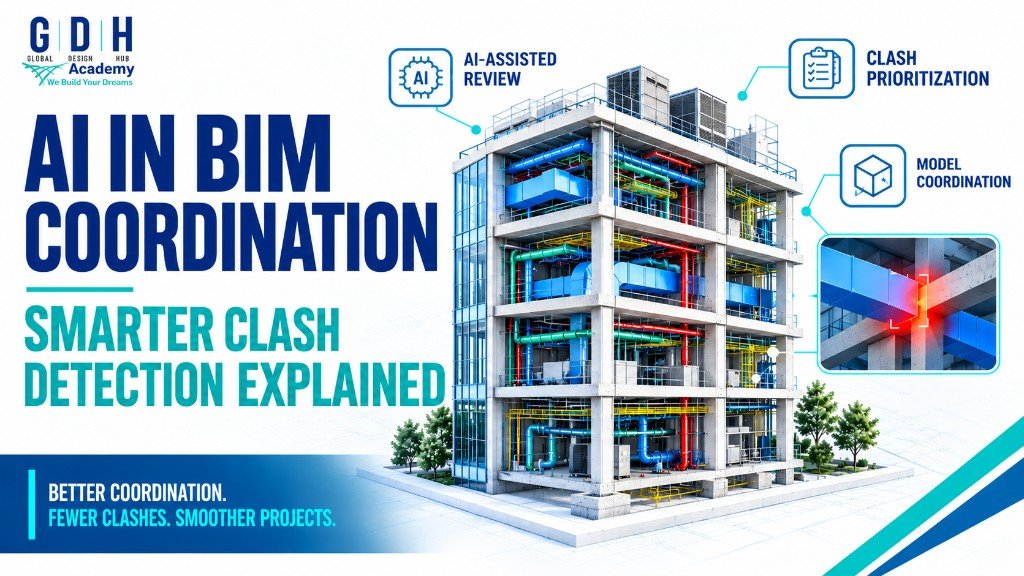
How is AI changing BIM coordination? Building Information Modeling (BIM) helps teams coordinate discipline models and spot conflicts before construction. Artificial Intelligence (AI) is now supporting review, reporting, and repetitive tasks—but accurate models, technical judgment, and collaboration still drive reliable clash detection. This guide covers AI-assisted workflows, clash review, skills for 2026, and how to prepare at GDH Academy in Hyderabad and Belagavi.
The architecture, engineering, and construction (AEC) industry is becoming increasingly digital. Building Information Modeling (BIM) helps project teams create coordinated building models, manage design information, and identify potential conflicts before construction begins.
Now, Artificial Intelligence (AI) is creating new opportunities to support these workflows.
From reviewing project information to assisting with repetitive tasks, AI is becoming part of the wider conversation around digital design, coordination, and construction technology. However, effective BIM coordination still requires accurate models, technical understanding, and collaboration between different disciplines.
This raises an important question: How is AI changing BIM coordination, and what should aspiring BIM professionals learn to stay prepared for the industry's evolving requirements?
In this guide, we will explore AI-assisted BIM workflows, clash detection, model coordination, practical examples, essential skills, and career preparation for aspiring BIM professionals in 2026.
What Is BIM Coordination?
BIM coordination is the process of reviewing and aligning building information models created by different project disciplines.
A typical building project involves several teams working on different parts of the same structure:
- Architectural BIM: Building layouts, walls, doors, windows, spaces, and architectural documentation.
- Structural BIM: Columns, beams, slabs, foundations, and other structural elements.
- Mechanical BIM: HVAC ductwork, piping, equipment, and related building services.
- Electrical BIM: Lighting, power distribution, cable trays, conduits, and electrical equipment.
Each discipline has its own requirements, but all must fit within the same building.
For example, an HVAC duct may intersect a structural beam, an electrical cable tray may conflict with a pipe, or maintenance access around equipment may be insufficient.
BIM coordination helps teams identify these potential conflicts, assign responsibility for resolving them, and check that updated models reflect the agreed changes.
The goal is not simply to produce an attractive 3D model. It is to create coordinated information that supports design review, documentation, and construction planning.
Why Is AI Becoming Important in BIM?
AI adoption is expanding across design-and-make industries, including architecture, engineering, construction, and operations.
According to Autodesk's 2026 State of Design & Make: AI Pulse report, 98% of surveyed leaders across the covered industries use at least one AI tool, and 84% say AI has increased productivity at their organizations. The report surveyed 2,500 global industry leaders across several design-and-make sectors.
These figures indicate broader AI adoption, not guaranteed productivity gains from AI in every BIM workflow.
For BIM teams, the practical opportunity is to identify tasks where AI assistance can improve information handling, reduce repetitive work, or help professionals review project data more efficiently.
Potential applications include:
- Summarizing large sets of coordination issues.
- Grouping similar clash reports for easier review.
- Helping team members interpret model-related information.
- Supporting repetitive documentation and reporting tasks.
- Assisting with the organization and prioritization of project issues.
The actual capabilities depend on the software, integrations, project data, and workflows being used. AI should be treated as a tool that supports professional judgment, not as a replacement for technical review.
What Is AI-Assisted Clash Detection?
Clash detection is the process of identifying geometric conflicts or unacceptable overlaps between elements in a digital building model.
For example, a structural beam may occupy the same space as an HVAC duct. A pipe route may intersect a cable tray, or several services may compete for limited ceiling space.
Traditional clash detection tools help identify these conflicts by checking selected model elements against defined rules and tolerances.
AI-assisted workflows can potentially make the review process more efficient by helping teams organize, interpret, and prioritize the resulting information. However, AI-assisted issue review and automated geometric clash detection are not the same thing.
A clash detected by software is not automatically a design error. Some overlaps may be intentional, acceptable, or caused by how model elements are represented.
The BIM professional must determine which issues need attention and coordinate with the responsible design team before changes are made.
How AI Can Support Clash Review
1. Organizing similar issues
A coordination review can produce many reported clashes. AI-assisted tools may help summarize or group similar issues by location, system, or type, depending on the capabilities of the software.
This can make large reports easier to review.
2. Helping teams prioritize issues
Not every clash carries the same level of risk. A conflict that blocks a primary duct route may deserve more immediate attention than a minor issue that has little effect on installation.
AI-assisted workflows may help organize issue information using defined criteria. The priority still needs to be checked against project requirements and professional judgment.
3. Improving coordination communication
Issue descriptions, technical notes, and meeting summaries can take time to prepare. AI tools may help draft clearer summaries from approved project information, allowing coordinators to focus on resolving the underlying problems.
4. Supporting repetitive tasks
Some coordination activities follow consistent rules. Automation and AI-enabled assistance may help reduce repetitive administrative work, although the suitable level of automation depends on the project and available tools.
5. Making project information easier to understand
AI assistants may help users navigate technical information, summarize instructions, or find relevant documentation. The accuracy of these outputs depends on the quality of the available information and the capabilities of the tool.
How Does a BIM Clash Detection Workflow Work?
A coordinated BIM workflow generally involves several stages. AI may support selected activities, but the fundamentals remain important.
Step 1: Prepare the discipline models
Architectural, structural, and MEP teams prepare their models according to the project's agreed requirements.
Before coordination begins, teams should verify model positioning, levels, naming conventions, element completeness, and relevant design information.
Poorly prepared models can produce misleading results.
Step 2: Combine the models for review
The relevant discipline models are brought together in a suitable coordination environment.
This allows the team to review how elements from different models relate to one another.
Tools and workflows vary between projects. Autodesk Navisworks and cloud-based model coordination workflows are examples of technologies used for this type of work.
Step 3: Run clash tests
The coordination team selects the relevant elements and defines the checks to be performed.
For instance, structural beams may be checked against HVAC ducts, or electrical containment may be checked against plumbing services.
The results depend on model quality, selected categories, tolerances, and test settings.
Step 4: Review and classify the results
The team reviews the reported clashes to determine which represent genuine coordination concerns.
Issues can be grouped by discipline, location, severity, or responsible team. AI-assisted tools may help summarize or organize issue information when supported by the software.
Technical validation is still essential.
Step 5: Assign responsibility
Each accepted coordination issue should have a clear owner and a defined next action.
For example, an HVAC duct conflict may require the mechanical team to review the route and consult the structural team before proposing a change.
A coordination platform can help track assignments, comments, status, and supporting views.
Step 6: Resolve the issue and update the model
The responsible discipline reviews the issue and makes the required changes through the appropriate design process.
AI may help summarize alternatives or supporting information, but modifications must follow the approved design, engineering requirements, and project procedures.
Step 7: Recheck the updated models
The updated models are reviewed again to confirm that the issue has been addressed and that the proposed change has not introduced other conflicts.
The team records the outcome and closes the issue only when the agreed acceptance criteria are met.
Autodesk describes coordination workflows involving Navisworks and Autodesk Forma Model Coordination that help teams assign clashes, manage issues, and follow their resolution. Read more in this Autodesk University session on streamlining clash detection.
AI in BIM Coordination: A Practical Example
Consider a commercial building project containing architectural, structural, HVAC, plumbing, and electrical models.
During coordination, the team identifies the following issues:
- An HVAC duct intersects a structural beam.
- A plumbing pipe conflicts with an electrical cable tray.
- An equipment location does not provide the required maintenance clearance.
- Several services occupy the same restricted ceiling zone.
A useful workflow begins by identifying and validating each issue in the coordinated model.
AI-assisted tools may help summarize issue descriptions, group similar reports, or organize information for the coordination meeting. The team can then assign each validated issue to the relevant discipline.
The designers review the options, agree on suitable changes, update their models, and repeat the checks.
This example demonstrates an important principle: AI may help teams process coordination information, but a reliable result still depends on accurate models, suitable checks, and engineering review.
AI in BIM Coordination vs Traditional Clash Detection
Traditional clash detection remains an important part of BIM coordination. AI assistance can complement the process, but the two should not be treated as interchangeable.
| Area | Traditional clash detection | AI-assisted coordination |
|---|---|---|
| Finding geometric conflicts | Uses defined model checks and tolerances | Can complement existing checks where supported |
| Reviewing reports | Professionals inspect and classify results | AI may help summarize and group issue information |
| Prioritizing issues | Teams apply project rules and technical judgment | AI may support sorting and preliminary prioritization |
| Communication | Coordinators prepare notes and reports | AI may help draft or summarize documentation |
| Technical approval | Requires appropriate professional review | AI output must be validated before decisions are made |
The most effective approach is to combine reliable model checks with efficient issue management and informed human review.
What Does Revit 2027 Mean for BIM Professionals?
Software tools are also evolving to support connected workflows and AI-assisted tasks.
Autodesk's official Revit 2027.2 release notes describe improvements to the AI-powered Autodesk Assistant, documentation controls, connected workflows, structural detailing, and MEP sizing.
These updates show that software development is addressing practical modeling and documentation workflows.
However, the release notes do not mean that every BIM coordination task is automatically handled by AI. Clash identification, issue assignment, model changes, design validation, and final approval still depend on the specific tools and project procedures.
For learners, the takeaway is to build strong software fundamentals before relying on new automation features.
Understanding how models are structured, how elements relate to one another, and how documentation is created makes it easier to evaluate and use new tools effectively. See also our overview of Revit 2027 AI features and BIM coordination training.
What Skills Should Future BIM Engineers Learn in 2026?
As BIM workflows evolve, professionals need a combination of modeling knowledge, coordination skills, and digital literacy.
1. Autodesk Revit and BIM Fundamentals
Learn how to create and manage building elements, views, levels, families, schedules, and drawing sheets.
Understanding the model structure is essential before attempting advanced coordination workflows.
2. Discipline-Specific Modeling
Build a foundation in the discipline relevant to your career goals.
Architectural BIM focuses on building layouts and documentation. Structural BIM focuses on structural elements and their representation. MEP BIM covers building services such as HVAC, plumbing, and electrical systems.
A clear understanding of each discipline helps professionals recognize potential coordination concerns.
3. Model Coordination and Clash Review
Learn how discipline models are combined, how clash tests are configured, how issues are reviewed, and how changes are tracked.
Understand the difference between a reported clash and a confirmed coordination problem.
4. Data and Documentation Skills
Develop the ability to interpret schedules, model properties, issue reports, and technical documentation.
Clean model data and consistent issue descriptions make coordination processes more reliable.
5. Automation and AI Literacy
Understand what AI-enabled tools can and cannot do. Learn to verify outputs, identify unsupported recommendations, protect confidential project information, and keep appropriate human review in the workflow.
Where appropriate, explore automation tools that can handle repeatable tasks without compromising model quality.
6. Communication and Teamwork
BIM coordination involves people as well as software.
Professionals need to explain issues clearly, communicate with other disciplines, document decisions, and follow up on unresolved conflicts.
These skills are particularly valuable when several teams contribute to one coordinated model.
Is AI Replacing BIM Engineers and Coordinators?
AI is changing how some digital tasks are performed, but it does not remove the need for technical understanding and coordination.
BIM professionals must interpret project requirements, determine whether a clash is significant, understand how building systems interact, and communicate appropriate solutions to the design team.
AI can assist with selected tasks, but inaccurate data, poorly defined rules, and unverified recommendations can lead to mistakes.
Rather than focusing only on whether AI will replace a role, aspiring professionals should learn how to use evolving tools responsibly while strengthening their technical skills.
A professional who understands BIM fundamentals and can evaluate AI-assisted outputs is better prepared to adapt as workflows change.
How Can Students Prepare for the Future of BIM?
Students and freshers can begin by following a structured learning path.
Step 1: Learn the fundamentals. Understand BIM concepts, technical drawings, and the basic operation of the relevant modeling software.
Step 2: Choose a specialization. Explore Architectural BIM, Structural BIM, MEP BIM, or Civil 3D according to your education and interests.
Step 3: Practise with complete projects. Create models, prepare documentation, and review how your work relates to other disciplines.
Step 4: Learn coordination workflows. Understand how models are shared, potential clashes are identified, and issues are communicated and resolved.
Step 5: Build a portfolio. Document your own contribution, the modeling decisions you made, the views and drawings you prepared, and the coordination challenges you addressed.
Step 6: Keep learning. Follow official software updates and explore automation or AI tools when they are relevant to your workflow.
The aim is to build demonstrable technical ability, not simply collect software names or certificates.
Learn BIM and Revit at GDH Academy
GDH Academy provides classroom-based BIM and design training at its Hyderabad and Belagavi campuses. Its course catalogue includes Autodesk Revit, Architectural BIM, Structural BIM, Electrical BIM, Mechanical/HVAC and Plumbing BIM, Civil 3D, and project-based learning options.
These learning paths can help students, freshers, and working professionals develop the modeling and documentation foundations needed to understand modern BIM workflows.
If you want to strengthen your BIM skills, explore the available programmes:
- BIM and Revit course catalogue
- GDH Academy — BIM training in Hyderabad
- GDH Academy — BIM training in Belagavi
Before enrolling, review the current course syllabus, software coverage, practical assignments, and expected deliverables to select a programme that matches your learning goals.
Frequently Asked Questions About AI in BIM Coordination
1. What is AI in BIM coordination?
AI in BIM coordination refers to using AI-enabled tools to assist selected activities such as reviewing project information, summarizing coordination issues, organizing reports, and supporting repetitive workflows. The available capabilities depend on the software and implementation.
2. What is AI clash detection in BIM?
AI clash detection is a broad term used for workflows that combine clash-checking processes with AI-assisted analysis or issue management. It is important to distinguish AI-assisted review from automated geometric clash detection, since not all tools provide the same capabilities.
3. Can AI automatically resolve all BIM clashes?
No. A reported clash may be intentional or may require a design decision. AI-generated suggestions must be checked against engineering requirements, the approved design, access needs, and project constraints.
4. Which software is used for BIM clash detection?
Software depends on the project and its workflow. Autodesk Navisworks and cloud-based model coordination tools are used for reviewing combined models and managing coordination issues. Autodesk Revit is used to create and document discipline models. The software taught and used should be confirmed against the relevant course syllabus.
5. What is the difference between clash detection and BIM coordination?
Clash detection identifies potential conflicts between model elements. BIM coordination is the wider process of reviewing those conflicts, assigning responsibilities, agreeing on solutions, updating models, and verifying the results.
6. Do BIM engineers need to learn AI?
AI knowledge can help BIM professionals understand emerging workflows and evaluate new tools. Strong modeling fundamentals, coordination skills, technical accuracy, and communication remain important regardless of the level of AI adoption.
7. Which BIM skills should beginners learn first?
Beginners should start with BIM fundamentals and relevant modeling software, such as Autodesk Revit for building BIM. They can then build discipline-specific knowledge, documentation skills, and an understanding of model coordination.
8. Where can I learn BIM in Hyderabad or Belagavi?
GDH Academy provides classroom-based BIM and Revit training in Hyderabad and Belagavi. Visit the official GDH Academy course catalogue to compare available programmes and check the current syllabus.
Final Thoughts
AI is creating new possibilities for BIM coordination, from assisting with information review to supporting more organized digital workflows. At the same time, effective clash detection still depends on model quality, appropriate checking procedures, technical judgment, and collaboration.
For aspiring BIM professionals, the best approach is to build strong modeling and documentation fundamentals, understand how disciplines interact, and learn to use emerging tools responsibly.
The future of BIM is not just about creating 3D models. It is about managing reliable information, coordinating disciplines, and using technology to support better project decisions. Related reading: BIM engineer career guide · BIM coordination · Autodesk Revit BIM · Contact admissions.